Advertisement
Click to download now, finish the installation quickly, and directly unlock the all-round experience
Advertisement
Screenshots
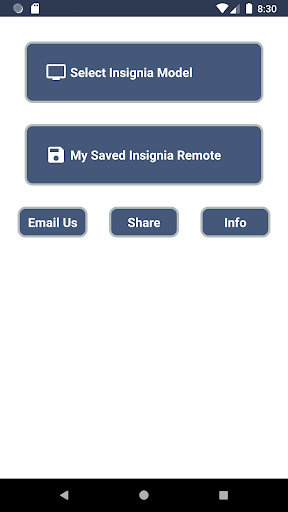
Click to download now, finish the installation quickly, and directly unlock the all-round experience
Insignia TV Remote turns an Android phone with an IR blaster into a remote for an Insignia television. It suits you if you want basic TV controls on your phone or need a spare remote. The IR blaster is essential: a phone without one cannot send the signals this app uses.
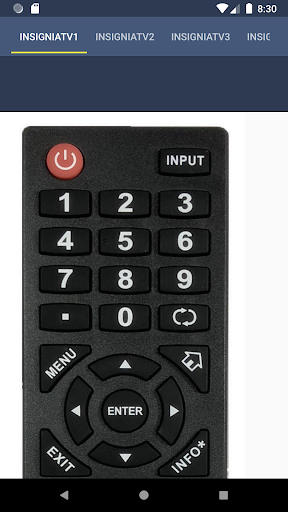
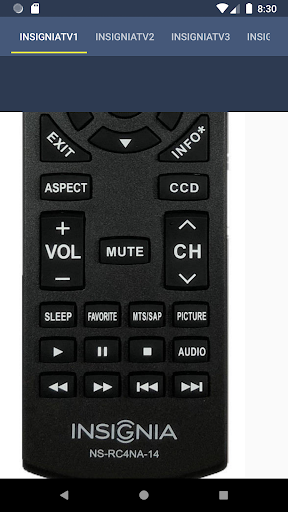
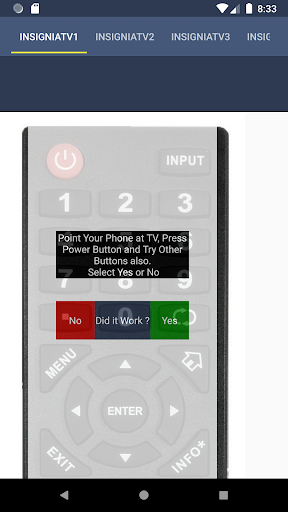
The app includes buttons for power, volume, channel changes and mute, along with input selection, Home, Menu and Settings. There is also a keypad, a previous-channel control and multimedia buttons. That covers common tasks such as changing the volume or switching inputs without reaching for the TV’s physical remote.
It is a remote control, not a way to watch TV on your phone. Its usefulness depends on your phone having an IR blaster and the controls working with your particular Insignia TV. Try the power button and other controls to see whether the TV responds.
Before choosing this app, check whether your Android phone has an infrared blaster. Many phones do not, and the app’s remote controls need that hardware to communicate with the TV. If your phone lacks an IR blaster, this app is unlikely to be useful as a remote; it does not replace the TV’s remote through a network connection.
Insignia TV Remote is a practical option for someone with a compatible phone who wants the main physical-remote buttons in one place. It is published by Remote Planet and is listed in Tools. The app has a 4.0-star rating from about 3,200 ratings and more than 500,000 installs. Those figures show that it has been used by many people, but they do not guarantee compatibility with your phone or TV.